Manage your Salesforce orgs.
Find the right environment in a moment. Search, tag, and pin your orgs, then open exactly where you need to be.
 orgbit.Get Orgbit Free
Organize your Salesforce orgs for free. Add Org Insights and the full developer workbench with a one-time purchase whenever you need them.
Already purchased? Sign in with email to find your license key and receipts.

COMPARE & SYNC · AVAILABLE NOW
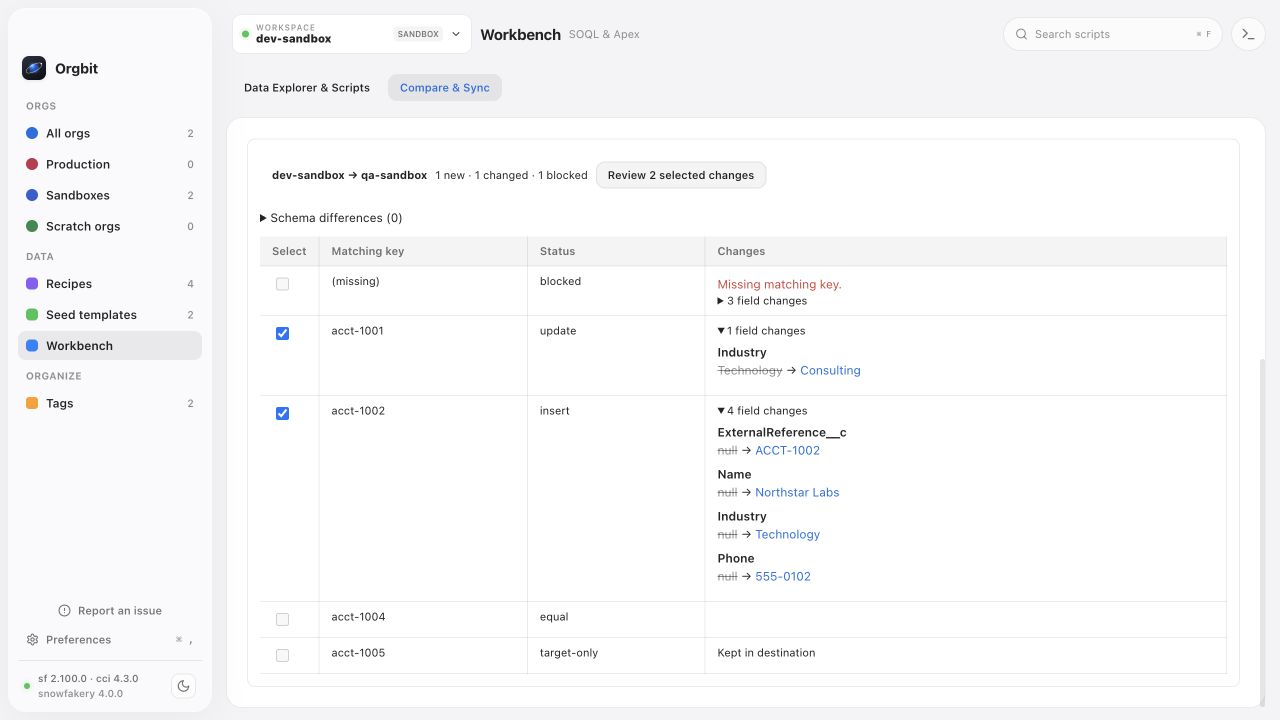
With Orgbit Desktop, bring selected records into another org without assembling the changes by hand. Compare one object across two environments, review the field differences, and apply only the inserts and updates you select.
Use a shared External ID to connect records across orgs, even when their Salesforce IDs differ.
See new, changed, and blocked records. Choose the changes and confirm the destination org.
Records are rechecked before writing. Compare again afterward to verify the selected changes.
Industry
New record in the destination
Missing matching key · excluded from changes
Illustrative comparison with sample records.
Included with Orgbit Desktop. Built for deliberate, smaller changes: compare an object with up to 1,000 total records in each org and apply up to 50 selected inserts or updates at a time. Writes require a unique Text External ID in the destination. See how matching works ↗
A thoughtful interface.
Tools you already know.
FIND YOUR FLOW
Find the right org. Understand its data.
Prepare your next test. Keep the everyday work
in one familiar place.
Find the right environment in a moment. Search, tag, and pin your orgs, then open exactly where you need to be.
With Orgbit Desktop, write reusable recipes, preview realistic data, and seed your orgs with Snowfakery and CumulusCI.
Orgbit Desktop adds Data Explorer: browse objects and fields, choose what to query, and inspect records and relationships. Start with the schema, not a blank query.
YOUR WORKBENCH, BUILT IN
Orgbit Desktop adds SOQL and anonymous Apex in the org you choose. Save useful queries and scripts so the next investigation starts with work you already trust.
Orgbit Desktop · $79.99 onceBrowse results in a table or JSON view, query with the Tooling API, and export loaded results to CSV.
Execute scripts with debug output and inline compilation errors. Confirm the target before running in production.
Save queries and scripts with their target org, review execution history, and include saved scripts in your workspace backups.
THE ORGBIT FIELD GUIDE
Data comparison · 7 min read
Prepare a shared External ID, review differences between two Salesforce orgs, and apply a small, selected set of inserts and updates with Orgbit Desktop.
Read the guide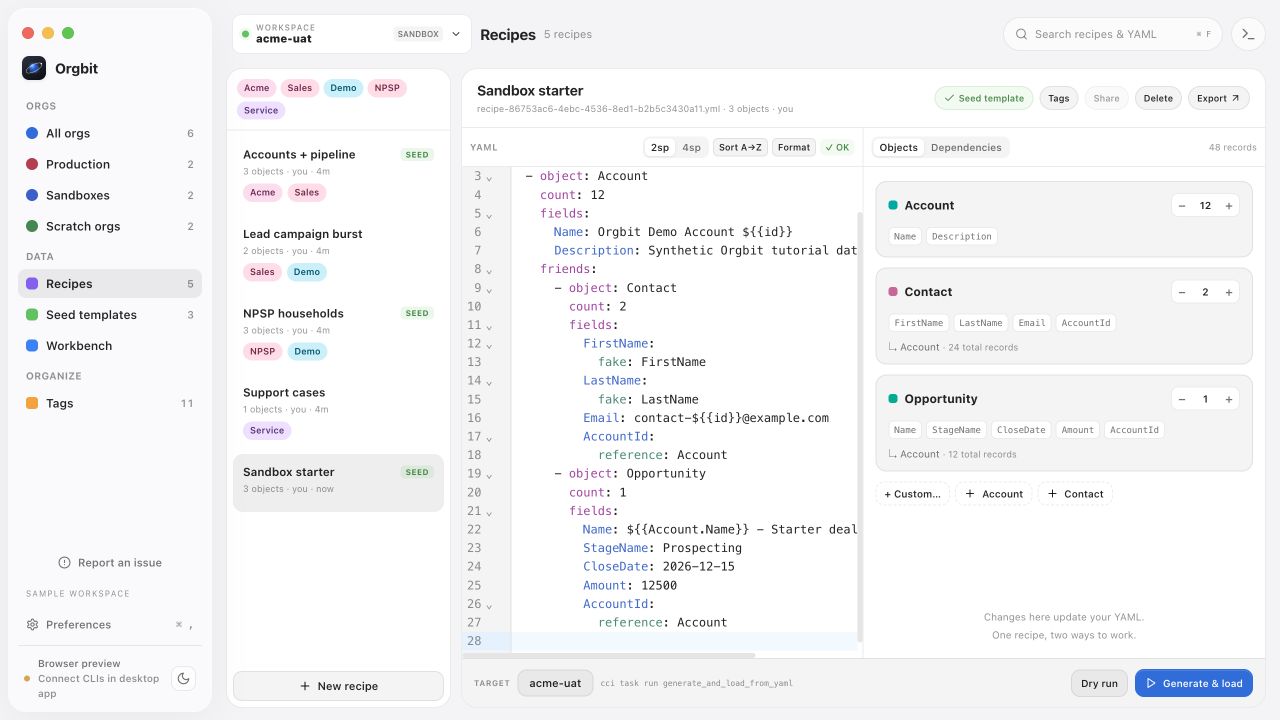
Test data · 7 min read
Create 12 Accounts, 24 Contacts, and 12 Opportunities with one downloadable recipe. Check relationships and counts before loading your Salesforce sandbox.
Read the guide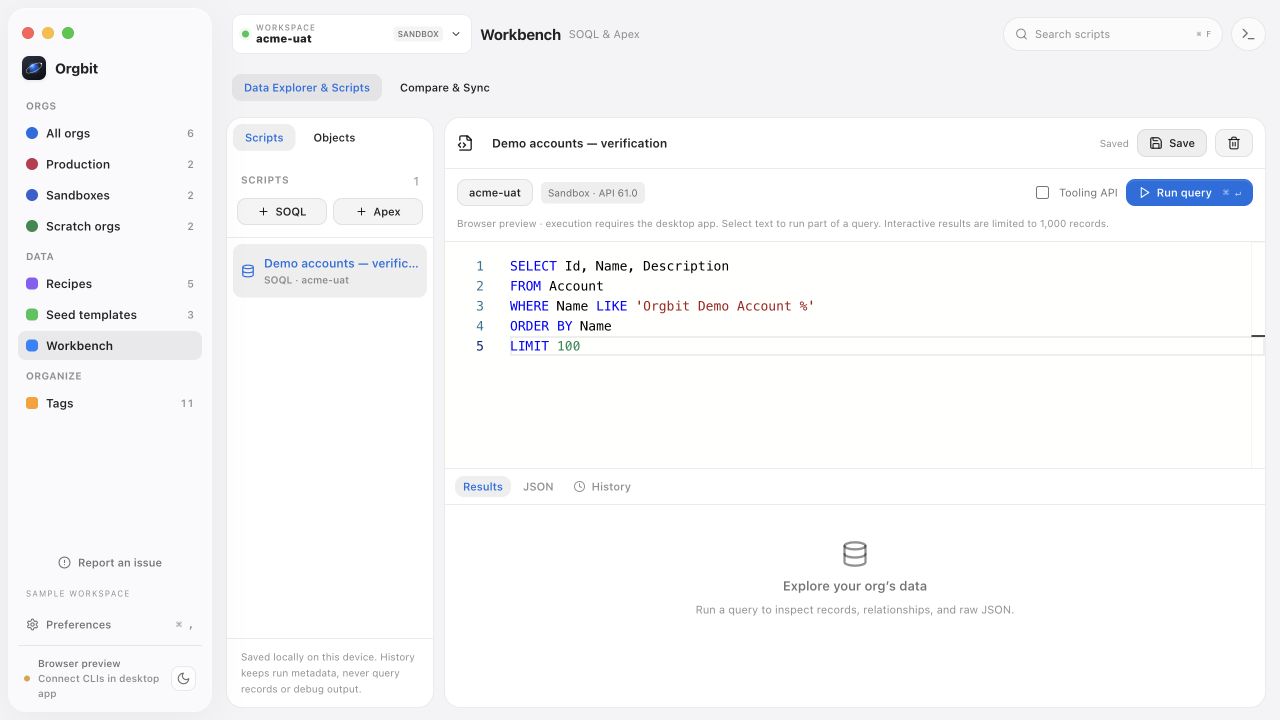
SOQL workflow · 8 min read
Explore Salesforce objects and fields, build a SOQL query, inspect related records, and export loaded results to CSV in Orgbit Desktop.
Read the guideCHOOSE YOUR WORKSPACE
Use Orgbit Free to connect, save, and organize your Salesforce orgs. Add Org Insights and the full developer workbench with a perpetual desktop license.
Team plans are future work and are not included.
ORGBIT FREE
Free no account required
ORGBIT DESKTOP
$79.99 USD · one time
Plus applicable tax. Individual license for supported platforms.
Read the license & refund terms →A FEW GOOD QUESTIONS
Connect, discover, organize, tag, favorite, search, and open Salesforce or its Setup page in a browser, refresh authentication, back up and restore saved orgs, tags, and general preferences locally. Free backup restores saved orgs, tags, and general preferences. Existing Workbench files remain preserved on the device when paid access changes, but are not included in Free restore. Org Insights, SOQL, anonymous Apex, Data Explorer, Compare & Sync, and recipe generation and seeding are part of Orgbit Desktop.
Selected inserts and updates for one object between two connected orgs. Use a shared Text External ID that is unique and writable in the destination. The whole object must contain no more than 1,000 records in each org; comparison filters cannot narrow a larger dataset. Each sync can apply up to 50 selected records. Missing or duplicate keys, unsupported fields, and unresolved relationships block affected writes. Supported parent relationships are matched by shared keys rather than copied Salesforce IDs. It does not delete records, deploy metadata, or run scheduled or bidirectional sync. Compare & Sync is part of Orgbit Desktop.
Orgbit uses Salesforce CLI to connect to your orgs. The setup wizard can install Salesforce CLI with Node.js/npm. Orgbit Desktop’s recipe and seed features add Snowfakery and CumulusCI, installed with Python and pipx. The wizard checks tools and helps install what’s missing; it also lets you choose when to install supported tool updates.
Your workspace, saved scripts, recipes, preferences, and sync operation journals are stored locally on your device. Salesforce CLI manages authentication. Actions such as signing in, querying data, running Apex, comparing data, and writing records connect to Salesforce; licensing, your chosen recipe sources, and update checks also use the network.
Yes. Orgbit labels environments and requires confirmation before anonymous Apex runs in production. Compare & Sync shows the verified destination environment and requires you to type its alias before applying selected changes. Production data loads also have a confirmation step by default. Compare and test your changes in disposable orgs before working with production data.
No. Orgbit is an independent product. It works with Salesforce using Salesforce CLI and open-source tools. It is not affiliated with or endorsed by Salesforce.
ORGBIT FREE
Download Orgbit Free for your computer and start organizing your Salesforce orgs.
Prefer Ubuntu/Debian? Download Free .deb. macOS · Windows · Linux. Already purchased? Sign in to manage your license and downloads.Windows builds are currently unsigned and may show a SmartScreen warning.